Select a Report from the Report Name drop down list.
Enter the user's login name or use a wild card search in the Assigned to Roles window.
Click the Search
 button.
You can change the role assignments for a Report from the Report Assignment window.
Select a Report from the Report Name drop down list.
Enter the user's login name or use a wild card search in the Assigned to Roles window.
Click the Search
button.

Click the pencil
icon  in the Assigned to Roles window. A
list of available Role names will
display.
in the Assigned to Roles window. A
list of available Role names will
display.
Check or uncheck user (s) to assign or un-assign them to the report.
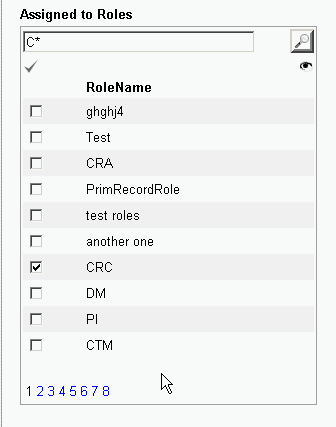
Click the eye
icon  . A
list of available Roles with any changes you have made will display.
. A
list of available Roles with any changes you have made will display.
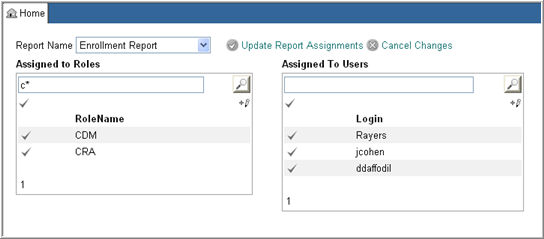
Click Update Report Assignments to save your changes.
Click Cancel Changes to cancel your changes.
Select a report from the Report Name drop down list to continue assigning or unassigning roles to another report.

Copyright © 2010 Medidata Solutions, Inc. All rights reserved.