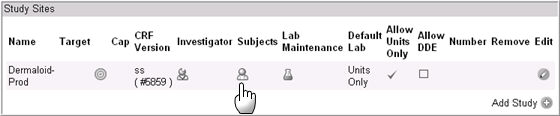
On the Study Sites
panel in the Site Details page, click the Subject
 icon in the Subjects
column.
icon in the Subjects
column.
On the Study Sites
panel in the Site Details page, click the Subject
icon in the Subjects
column.
The Subject page appears with the Active Checkbox unchecked.
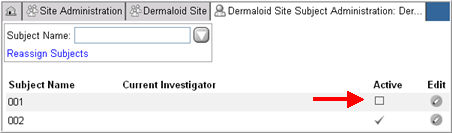
Note: Subjects are added in the EDC Module. Subjects can be inactivated or re-activated only from the Site Administration module.
Click the Edit icon associated with the Subject. The subject information appears in edit mode.
Check the Active checkbox to reactivate the subject.
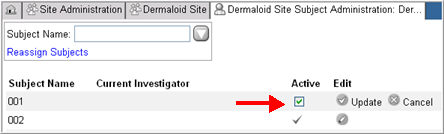
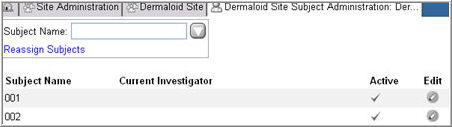
Click Update to save changes. The Subject page displays with the box in the Active column checked.

Copyright © 2014 Medidata Solutions, Inc. All rights reserved.